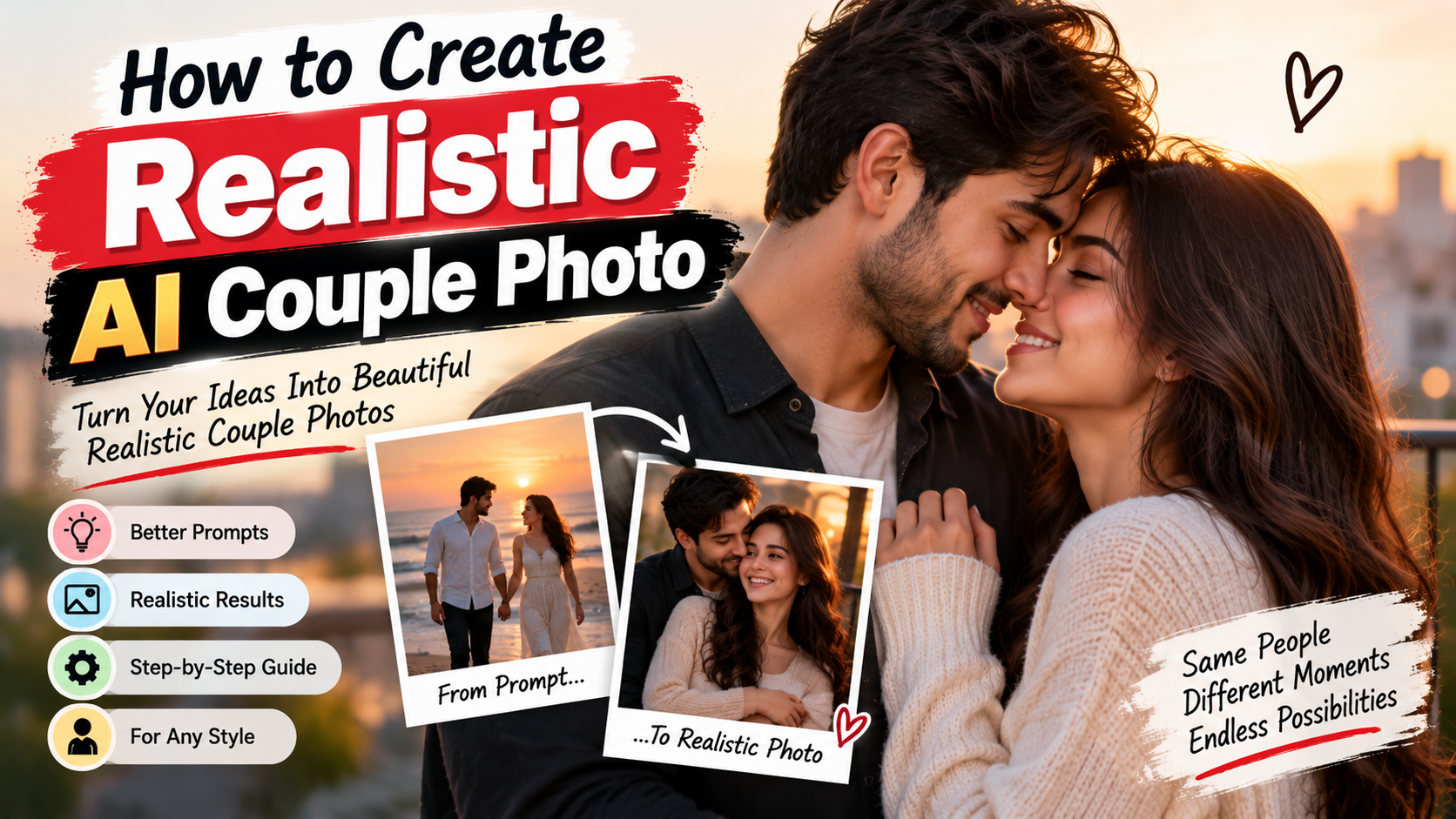
Most AI-generated couple photos still look wrong in some way. The faces do not quite match. One person looks sharper than the other. The bodies stand too straight or the hands come out twisted. Sometimes the light feels flat and studio-like even when you asked for natural light. Getting a result that actually looks like a real photograph takes more care with the prompt than most people expect.
This is a straightforward look at how to create realistic AI couple photos. The advice comes from repeated testing across common tools. It focuses on what tends to improve the output rather than theory.
The Main Reason Results Look Fake
Image models do not understand relationships or natural human posture the way a person does. When the prompt stays vague, the model falls back on average poses and generic faces. That is why so many images look stiff or slightly off. The more specific you are about the two people and what they are doing, the less room the model has to invent strange details.
A prompt that only says “realistic couple photo” almost always produces something average. Adding clear information about age, hair, pose, and light changes the result more than people expect.
Describing the Two People
Start with simple, consistent details. Too much information often backfires.
A workable description looks like this:
Man in his early thirties with short dark hair and light stubble. Woman with shoulder-length brown hair. Both wearing everyday casual clothes.
That gives the model enough to work with. Listing exact eye shape, nose shape, skin tone variations, or perfect facial symmetry usually makes the faces look artificial. The model handles fine detail better when left alone.
If you plan to make several images of the same couple, copy the same basic description every time. Changing even small words can produce different people. Consistency in the text helps consistency in the faces.
Height difference is worth mentioning if it matters to the scene. A small note like “the man is slightly taller” can prevent awkward proportions.
Getting the Pose Right
This part makes a bigger difference than most lighting or style words.
“Romantic couple” tells the model almost nothing useful. Specific contact and body language work better.
Examples that produce more natural results:
Standing close with their foreheads nearly touching and soft smiles.
Walking side by side, holding hands, glancing at each other.
Sitting on a couch with her head resting on his shoulder.
One person lightly adjusting the other’s jacket or brushing hair aside.
Everyday gestures read as more real than dramatic or cinematic poses. The model seems to handle small, believable movements more reliably.
Decide where their eyes are looking and keep it consistent. Both looking at each other works. Both looking toward the camera works. One looking at the other works. Mixing these directions in a single prompt often creates strange eye lines or disconnected expressions.
Lighting Is Easy to Get Wrong
Harsh or complicated lighting is one of the fastest ways to make an AI photo look fake. Soft, simple light usually produces better skin and more natural depth.
Phrases that help:
Soft natural window light
Warm late-afternoon sunlight
Overcast daylight that feels even
Gentle light coming from one side
You rarely need complex setups. For realistic everyday photos, soft directional light is enough. Avoid words that suggest studio softboxes or strong rim lights unless that is the exact look you want.
Backgrounds Should Stay Quiet
A detailed or busy background can pull attention away from the couple and make the whole image feel less real. Simple environments support realism better.
Useful settings include a quiet park path, a plain living room near a window, a beach with soft light, or a city sidewalk in the early evening. Describe the place in a few words and move on. The couple should remain the clear focus.
Prompts That Perform Better in Practice
Here are a few that tend to give stronger starting points.
Outdoor version:
Couple in their late twenties walking slowly along a tree-lined path, holding hands, soft overcast light, natural expressions, realistic photography, natural skin texture
Indoor version:
Man and woman in their thirties sitting close together on a couch beside a window, her head resting on his shoulder, soft afternoon light, calm expressions, realistic photo style
Closer moment:
Couple standing close outdoors near dusk, foreheads almost touching, eyes closed, soft smiles, warm fading light, realistic photography
These are not finished templates. Change the ages, clothing, or exact gesture to match what you need. The structure stays useful.
Problems That Keep Appearing
Faces that do not feel like they belong to the same photo.
This often comes from inconsistent descriptions or too much facial detail. Keep the basic information the same and avoid over-describing each person.
Strange hands.
Still one of the most common issues. Adding “natural hand position” or “hands resting naturally” sometimes helps a little. Generating several versions and choosing the best one remains the practical solution for now.
Skin that looks plastic or too perfect.
Include “natural skin texture” or “realistic skin detail.” Avoid any language that suggests flawless or airbrushed skin.
Stiff body language.
Replace general romantic language with a specific small action. “Her hand resting lightly on his arm” gives clearer direction than “romantic pose.”
The image looking like a fashion or editorial shot.
Words such as “candid” or “natural moment” help pull it back toward realism. Leave out fashion, studio, or editorial terms.
Building Consistency Across Multiple Images
When you need a series of the same couple, fix the core description first. Ages, hair, basic appearance. Reuse that block and only change the pose, setting, and lighting.
Generate several images from the same prompt. Variation between outputs is normal. Pick the strongest ones rather than expecting every single image to be perfect.
Some tools allow face reference images. When that feature is available it can improve consistency, though the results still vary and sometimes introduce new problems.
A Practical Working Method
Write a clear but simple description of the two people.
Add a specific and natural pose with some form of contact.
Choose soft, realistic lighting.
Keep the background simple.
Generate a few options.
If something looks off, change only one element and try again.
Adjusting several things at once makes it harder to tell what actually improved the image.
Extra Observations from Testing
Very long prompts often perform worse than medium-length ones for realistic photos. The model seems to lose focus when too many instructions compete.
Putting the most important information earlier in the prompt usually gives it more weight. The description of the people and the pose benefit from being near the front.
Asking for “photorealistic” alone is rarely enough. Combining it with natural skin texture, soft light, and a clear pose produces better results than the single word.
Clothing descriptions should stay simple unless the clothes are the main point. Detailed fashion language can push the image toward a staged look.
Closing Thoughts
Creating realistic AI couple photos depends mostly on clear information about the two people and how they relate to each other in the frame. Soft light and quiet backgrounds support that. Overly complex or dramatic prompts often work against the goal.
The target is not a perfect studio portrait. It is an image that feels like it could have been taken during a real moment. When the pose looks natural, the light is soft, and the two people appear connected, the result usually moves closer to something believable. Practice with small adjustments makes the process faster over time, and the images start looking less like generated pictures and more like actual photographs.